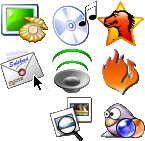
I've been Apwal for a while now and have been surprised how few people have even heard of it let alone tried it. It gives you a bunch of launcher items that can pop up at you cursor location, its quick and simple and very useful.
First open a terminal and enter the following line to install it, or use synaptic if you prefer a GUI.
sudo apt-get install apwal
Now its loaded we should add some launchers to it so there is something for it to display, and ultimately launch. So now, open up that terminal if you thought you would get away with not using it before and enter the following:
apwal --edit
The config window will show and it will start to index available icons on your system for it to use as the launcher buttons. The only single downside to apwal I have, is that it does this ever single time you go to edit it, and if you have installed a lot of icons this can take a couple of minutes, so if it takes a while showing the load icons progress bar display, bear with it.
Ok, now its a fairly simple case of adding the command to the application you want, and an icon to show for it, use the filter box on the icon display, if searching for an icon to mplayer for instance, filter *player* as an example to show any icons with player in their filename.
Ok, assuming you have now setup several application launchers you will want to have a means of making it pop-up, I will describe how I did it on my system and if anyone chooses an alternative method could they describe it in the comments for others to benefit from, thanks.
I use Compiz and I wanted to have Apwal display when I pressed right click on the desktop with control held down (control+right click then). Assuming that sounds ok to you, open up the compiz settings manager from your Preferences menu. Now go to the Commands section (normally at the very top of the config pane).
In the first empty slot on the Commands tab (probably Command line 0, and enter "apwal" without the quotes, then click on the Button Bindings tab and for Run command 0 define the binding to <control>Button 3 I am not going to describe that, if you can't manage it, put your PC back into the box and take it back to the store ;)
Ok, now you should have a binding set that when you hold down the Control key and right click the mouse, your launcher will popup darned near instantly, its very fast. This will normally work on top of other windows such as nautilus and just about anything else in my experience.
I hope you enjoy it, its certianly my prefered application launcher method.

First open a terminal and enter the following line to install it, or use synaptic if you prefer a GUI.
sudo apt-get install apwal
Now its loaded we should add some launchers to it so there is something for it to display, and ultimately launch. So now, open up that terminal if you thought you would get away with not using it before and enter the following:
apwal --edit
The config window will show and it will start to index available icons on your system for it to use as the launcher buttons. The only single downside to apwal I have, is that it does this ever single time you go to edit it, and if you have installed a lot of icons this can take a couple of minutes, so if it takes a while showing the load icons progress bar display, bear with it.
Ok, now its a fairly simple case of adding the command to the application you want, and an icon to show for it, use the filter box on the icon display, if searching for an icon to mplayer for instance, filter *player* as an example to show any icons with player in their filename.
Ok, assuming you have now setup several application launchers you will want to have a means of making it pop-up, I will describe how I did it on my system and if anyone chooses an alternative method could they describe it in the comments for others to benefit from, thanks.
I use Compiz and I wanted to have Apwal display when I pressed right click on the desktop with control held down (control+right click then). Assuming that sounds ok to you, open up the compiz settings manager from your Preferences menu. Now go to the Commands section (normally at the very top of the config pane).
In the first empty slot on the Commands tab (probably Command line 0, and enter "apwal" without the quotes, then click on the Button Bindings tab and for Run command 0 define the binding to <control>Button 3 I am not going to describe that, if you can't manage it, put your PC back into the box and take it back to the store ;)
Ok, now you should have a binding set that when you hold down the Control key and right click the mouse, your launcher will popup darned near instantly, its very fast. This will normally work on top of other windows such as nautilus and just about anything else in my experience.
I hope you enjoy it, its certianly my prefered application launcher method.


